Translate PowerPoint Slides Online

Translate PowerPoint presentation decks into 100+ languages while maintaining slide layouts, graphics, and brand elements

pptx translator online

PowerPoint Translation That Preserves Visual Impact

Transform presentations into multiple languages without sacrificing design quality

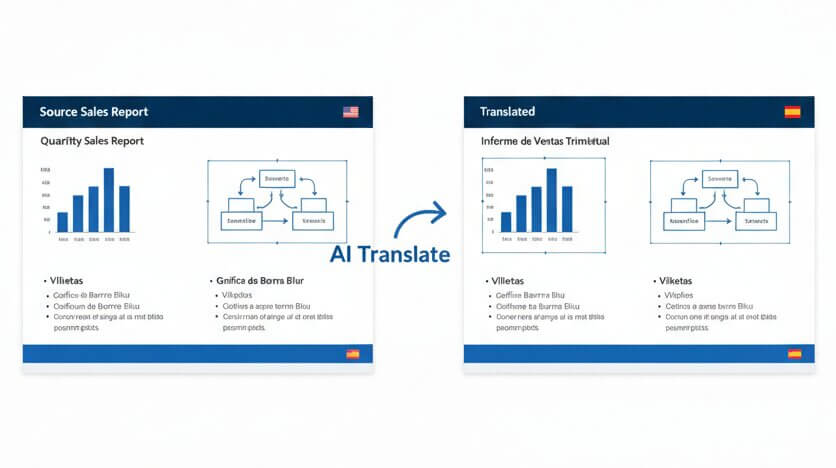
When translating PowerPoint slides, most tools destroy carefully crafted slide arrangements, e.g. text boxes shift, charts overlap titles, bullet points cascade off the page. Our PowerPoint translator is built specifically for PPTX files. The system reads each slide as a visual canvas, analyzing the spatial relationships between text zones, images, and graphic elements. Translation happens within the exact boundaries of each text container, preventing overflow and maintaining alignment. SmartArt graphics, embedded charts, and table cells receive context-aware translation that respects character limits and visual hierarchy. The result is a translated PowerPoint presentation that delivers the same professional impression as the source deck. Whether translating a sales pitch to Spanish, technical training to English, or conference slides from English to Arabic, every language version maintains the design standards needed for business credibility. Processing uses advanced natural language understanding from machine translation models combined with presentation-specific formatting intelligence.
online ppt translator with layout preservation

How it Works

Three steps to translate whole PowerPoint presentations

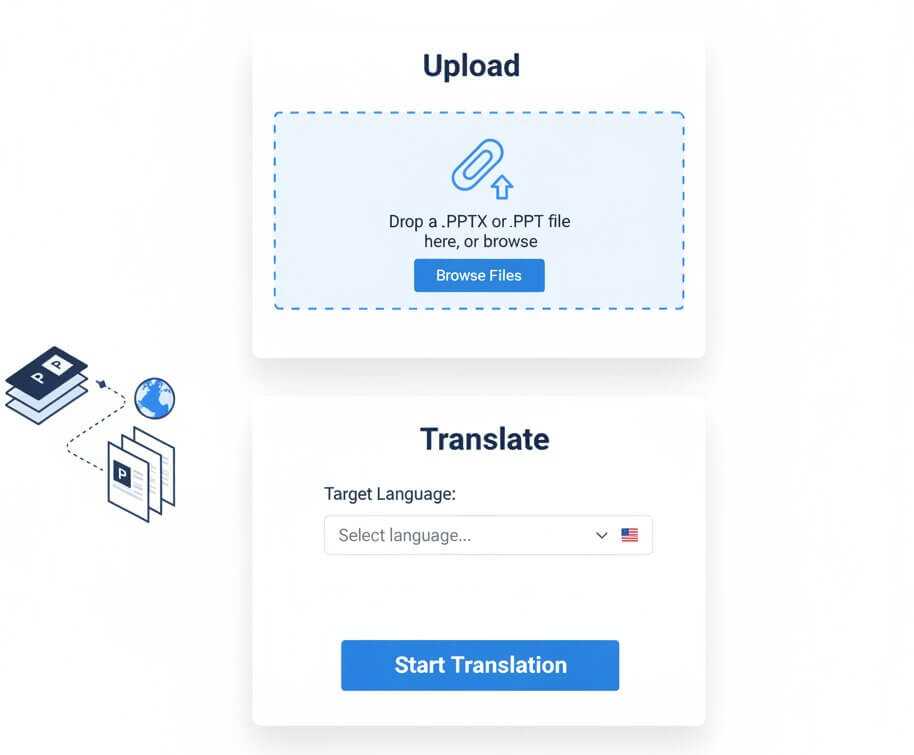
Upload

Drop a PPTX or PPT file into the online PPT language translator. The system accepts Microsoft PowerPoint formats and prepares each slide for language conversion.

Translate

Select a target language. The PowerPoint translation tool processes every text element across all slides using AI models trained on presentation content, maintaining terminology consistency throughout the deck.

Download

Download a fully editable PPTX file. Open it in Microsoft PowerPoint or any compatible application. All animations, transitions, master slide settings, and design themes remain functional.

Features

Capabilities designed for presentation translation

powerpoint translation app

Slide Design Preservation

Multi-Slide Context

Chart & Table Support

Animation Compatibility

Brand Asset Protection

Batch Deck Translation

Built specifically for PowerPoint file translation

translate pptx while keeping formatting

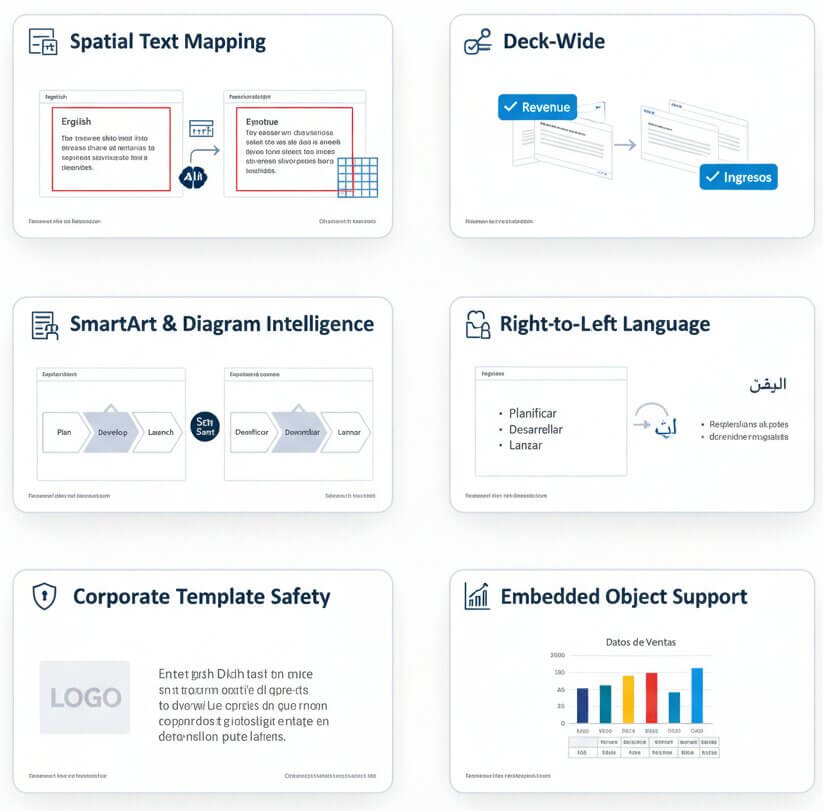
Spatial Text Mapping

PowerPoint slides contain overlapping layers of text boxes, shapes, and graphics. Our PPTX translator maps each text element to its coordinate position on the slide canvas. Translation output is constrained to fit within original text box dimensions, preventing layout collapse. Font sizes, line spacing, and paragraph alignment remain identical across language versions.

Deck-Wide Terminology

Effective presentations use consistent terminology from the title slide to the closing call-to-action. The PowerPoint presentation translator analyzes the entire slide deck as a unified narrative. Key terms and phrases receive consistent translation across every slide, maintaining message coherence. This prevents jarring vocabulary shifts that confuse international audiences.

SmartArt & Diagram Intelligence

SmartArt graphics and organization charts embed text inside fixed graphic containers. Standard translation methods break these visual elements. This system identifies SmartArt structures and translates text within shape boundaries. Flowcharts, process diagrams, and hierarchy graphics maintain their visual logic in every target language.

Right-to-Left Language Handling

Arabic, Hebrew, and other RTL scripts require special text flow handling. The Microsoft PowerPoint translator automatically adjusts text direction for RTL languages while preserving slide structure. Bullet points, numbered lists, and text alignment adapt to reading direction conventions without manual reformatting.

Corporate Template Safety

Business presentations rely on branded master slides and color schemes. The powerpoint auto translate feature processes content layers while leaving template elements untouched. Company logos, background graphics, footer text, and slide numbers remain in their original form. Only editable content areas receive translation.

Embedded Object Support

Modern presentations contain charts, tables, and embedded Excel data. The system translates chart titles, axis labels, data series names, and table content while maintaining data integrity. Numeric values, formulas, and data relationships remain accurate. Visual elements like bar charts and pie graphs retain their formatting.

Common scenarios for PowerPoint slide translation

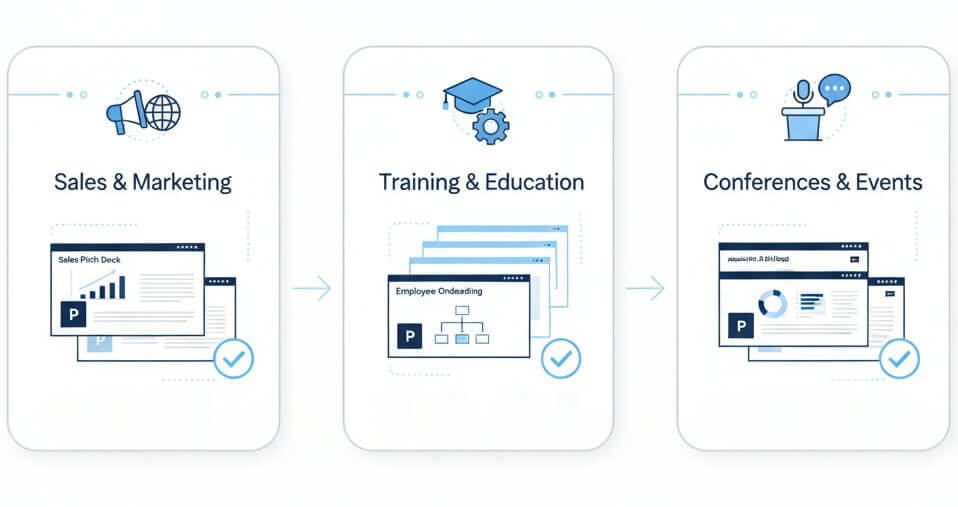
International sales teams need pitch decks in multiple languages for regional markets. A product presentation created for North American audiences must be adapted for European, Asian, or Latin American prospects. Direct translation risks misaligned charts, truncated value propositions, and broken slide designs.

The PowerPoint document translator enables rapid localization of sales collateral. Marketing teams can translate slides PowerPoint presentations contain into Spanish, German, Mandarin, or any target market language. Case study slides, competitive comparison charts, and pricing tables maintain their persuasive visual structure across all language versions.

Corporate training departments create comprehensive slide decks for employee onboarding, compliance training, and skill development. When companies operate across borders, training content must reach employees in their native languages. Manual translation of 100+ slide training modules is prohibitively slow and expensive.

The powerpoint language translator accelerates training localization. HR and L&D teams can translate entire PowerPoint training libraries in hours rather than weeks. Safety procedures, operational workflows, and policy explanations reach every employee with consistent messaging. The translated training decks remain fully compatible with learning management systems.

Academic researchers and industry experts present at international conferences. Conference organizers often request slide decks in English regardless of the event location. Non-native speakers struggle to translate complex research findings while maintaining the academic rigor of charts, methodology diagrams, and data visualizations.

This online translator PPT solution handles technical and academic language with precision. Researchers can translate PPT to English from their native language, or translate powerpoint slides to English from any source. Statistical charts, research frameworks, and citation slides maintain their scholarly presentation quality. The tool works equally well to translate PowerPoint from English to Arabic for Middle Eastern conferences or any other language pair.

online pptx translation use cases

Pricing

Start translating PowerPoint presentations at no cost

Lite

$9 / mo
  • 400.000 characters per month
  • Advanced AI translation
  • Layout & formatting preservation
  • 100+ language support
Free Trial

Starter

$19 / mo
  • 1.000.000 characters per month
  • Advanced AI translation
  • Layout & formatting preservation
  • 100+ language support
Free Trial

Business

$49 / mo
  • 3.000.000 characters per month
  • Unlimited users & collaboration
  • All Pro features
  • Priority support
Free Trial
Save 25%

Yearly

$169 / year
  • 12.000.000 characters per year
  • Unlimited users & collaboration
  • All Pro features
  • Priority support
Free Trial

F.A.Q

Common questions about PowerPoint translation

The best way to translate a PowerPoint involves using a slide-aware translation system that maps text to its spatial coordinates. Upload the PPTX file to the AI PowerPoint translate tool, select the target language, and download a translated version. The process preserves text box positions, image placements, and graphic alignments automatically.

Yes. The system translates chart titles, axis labels, legend entries, and data series names while leaving numeric values. Table cells and embedded spreadsheet content receive translation based on detected text patterns. Charts remain editable in PowerPoint after translation, with data linkages preserved.

Yes. The PowerPoint translate entire document process operates on the content layer of each slide. Animation timings, transition effects, and object layering remain unchanged. Translated presentations play with the same visual effects as the original deck. Hyperlinks and action buttons continue to function.

Microsoft Presentation Translator focuses on real-time subtitle display during presentations. This tool performs document-level translation that produces a fully translated PPTX file. The output can be edited, redistributed, and used offline. It also provides deck-wide context analysis for consistent terminology, whereas the Microsoft PowerPoint Translator add-in processes slides independently.

Absolutely. The translate whole PowerPoint function processes all slides while respecting master slide templates. Custom color schemes, font themes, and background graphics remain untouched. Only text content in editable placeholders and text boxes receives translation. Corporate branding and design assets stay identical.

The online ppt language translator supports over 100 languages. Common business translation pairs include translating powerpoint slides to English from any source language, translate powerpoint to Spanish for Latin American markets, and translate powerpoint from English to Arabic for Middle Eastern audiences. European, Asian, and African languages are all available.

The system uses machine translation in artificial intelligence based on Large Language Models. Unlike traditional computer assisted translation ppt workflows that require human translators, this is fully automated machine translation in NLP (natural language processing). The AI understands context, idioms, and domain-specific terminology without manual glossary management.

Yes. This is a web-based translate ppt online solution. No desktop software installation is required. Access the PPT online translator from any browser, upload the presentation file, and download the translated version. The service works on Windows, Mac, and Linux operating systems.

The powerpoint translate all slides feature processes presentations of any length. Small pitch decks with 10 slides and comprehensive training modules with 200+ slides are both supported. Character count limits apply based on subscription tier, but slide count itself is unlimited. Large presentations are processed efficiently using parallel translation.

Yes. The powerpoint translate whole document process includes speaker notes sections and embedded comments. Presentation coaches can translate training decks with detailed delivery notes for trainers in different regions. Comments left by reviewers are also translated, maintaining collaboration context across language barriers.