Translate Excel File Online

XLSX translator that maintains cell formatting, formulas, and data structure in 100+ languages

translate excel sheet online

AI-Powered Excel Translation Technology

Translate entire Excel file in seconds

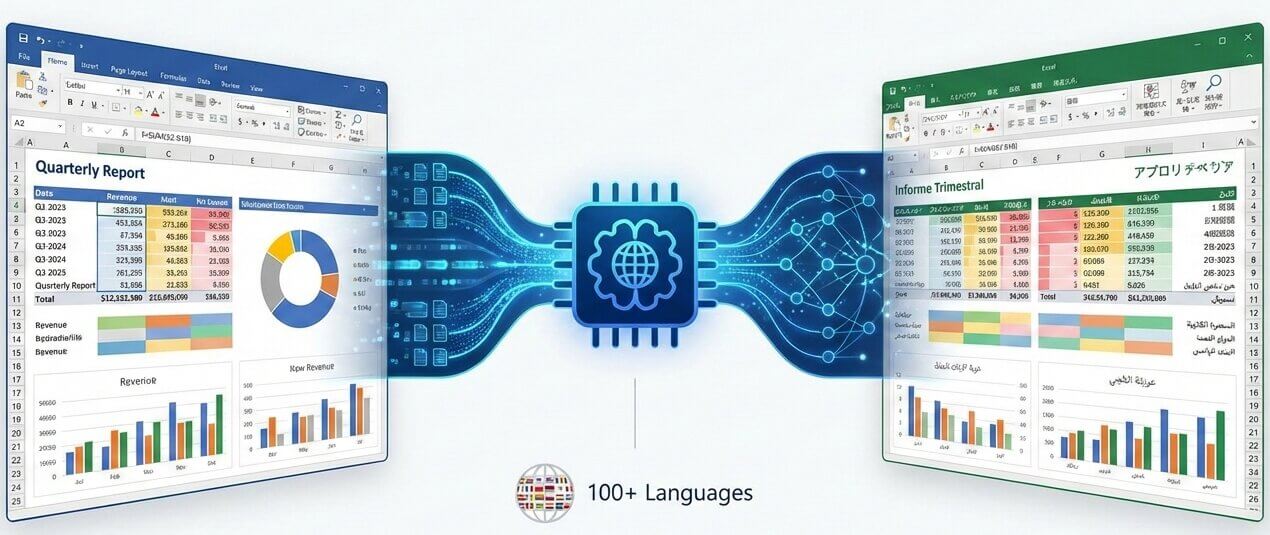
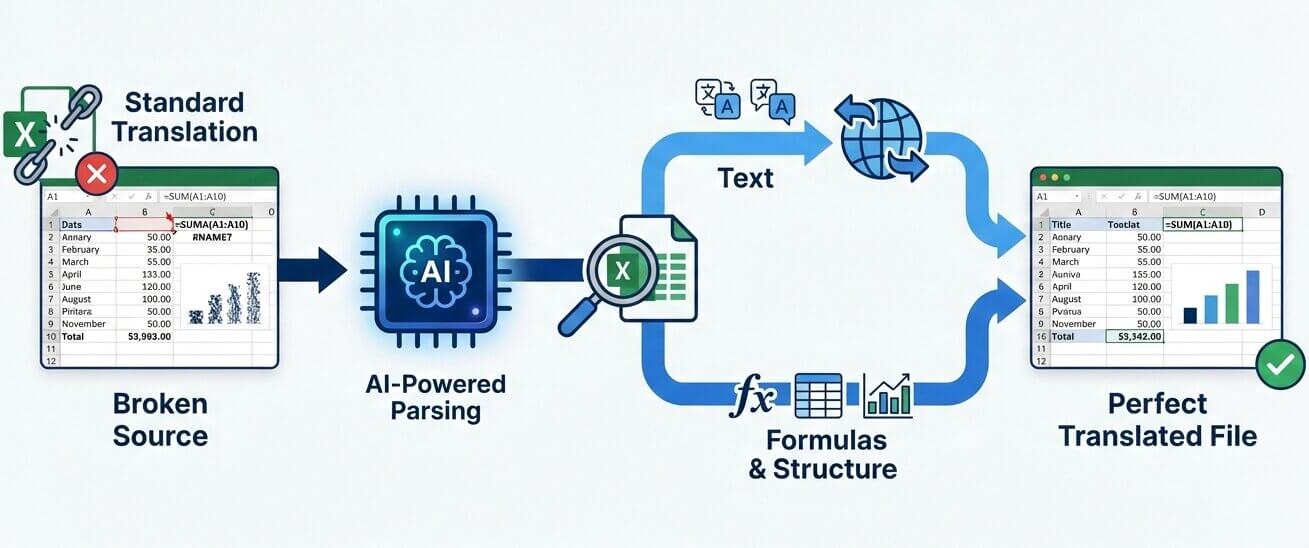
Standard translation methods fail with Excel files because they treat spreadsheets as plain text. When formulas like =SUM(A1:A10) or cell references get translated, calculations break and data becomes unusable. Our XLSX translator uses specialized parsing technology that identifies which cells contain formulas, which hold static text, and which include numeric data. Only human-readable text elements get converted to the target language while all computational logic remains untouched. Multi-sheet workbooks maintain their tab structure, named ranges stay functional, and conditional formatting rules continue to work. The result is a translated Excel spreadsheet that opens correctly, and looks identical to the source file. Financial models, inventory lists, project timelines, and data reports can move across language barriers without requiring manual reconstruction.

translate xlsx file with formulas preserved

How it Works

Three steps to translate excel file online

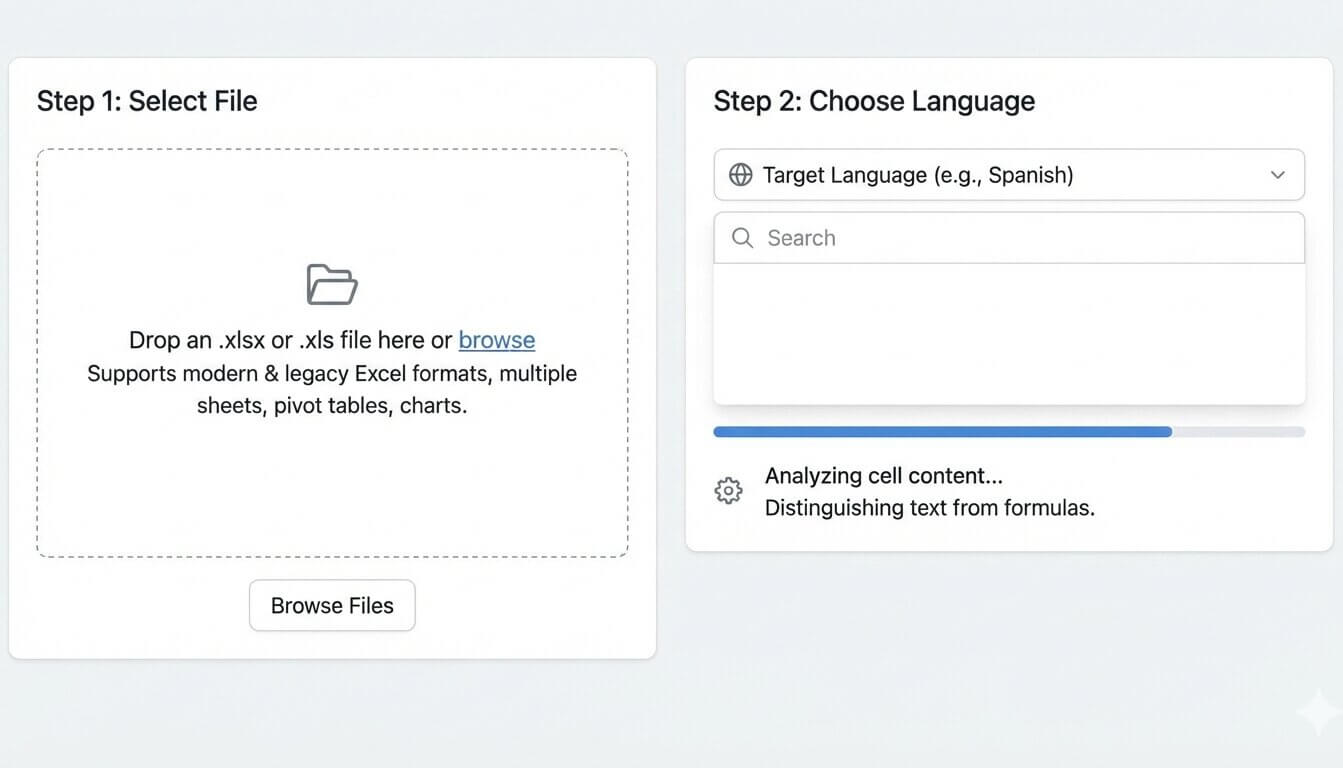
Select File

Drop an .xlsx or .xls file into the online translator. Both modern Excel formats and legacy versions are supported, including workbooks with multiple sheets, pivot tables, and embedded charts.

Choose Language

Select the target language from 100+ available options. The system analyzes cell content to distinguish between translatable text strings and protected formula syntax before processing begins.

Retrieve XLSX

Download the converted file within minutes. Open it in Excel, Google Sheets, or LibreOffice to verify that all formulas calculate correctly and formatting appears as expected.

Features

Advanced capabilities for excel language translation

excel translation tool interface

Formula Protection

Multi-Sheet Support

Cell Formatting Retention

Bulk Translation Mode

Chart & Graph Handling

Data Integrity Validation

What makes our Excel translate tool different?

translate excel document features

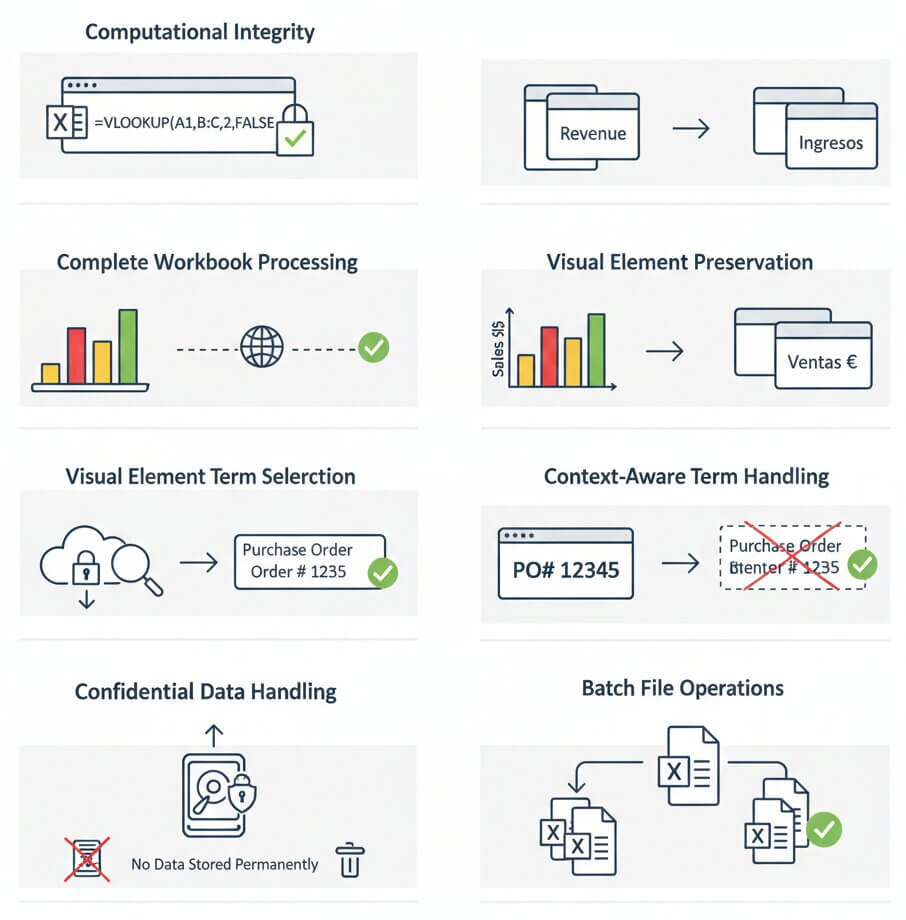
Computational Integrity

Excel files are databases, not documents. This tool recognizes that =VLOOKUP, =IF, and other functions must remain in their original syntax. The parser isolates cell formulas from translatable text, so calculations continue to produce correct results after language conversion. Named ranges, array formulas, and cross-sheet references stay operational.

Complete Workbook Processing

Single-sheet translation leaves tabs untouched. Our system processes every worksheet in a workbook simultaneously, maintaining consistency when the same term appears across multiple tabs. If "Revenue" is used in Sheet1 and Sheet3, both instances receive identical translations, preventing confusion in linked reports.

Visual Element Preservation

Charts, conditional formatting, and cell colors convey meaning in spreadsheets. The translation engine leaves these visual cues untouched while updating axis labels, legend entries, and data series names. A sales dashboard with color-coded performance indicators will display translated labels without altering the visual logic.

Context-Aware Term Selection

Spreadsheets often contain industry abbreviations and technical terms. The translation model evaluates surrounding cells to determine whether "PO" means "Purchase Order" or should remain as an acronym. This contextual analysis prevents mistranslation of codes, SKUs, and domain-specific shorthand common in business data.

Confidential Data Handling

Financial spreadsheets contain sensitive information. All uploaded files are encrypted during transfer and processing. Data is never stored permanently or used to train public models. After translation completes and the file is downloaded, source and target versions can be deleted from servers immediately.

Batch File Operations

Organizations often need to translate multiple reports at once. Bulk translate Excel mode allows upload of several .xlsx files simultaneously, applying the same source-to-target language pair to an entire batch. This eliminates repetitive clicking when converting monthly reports or regional sales data.

Common scenarios for excel sheet translate projects

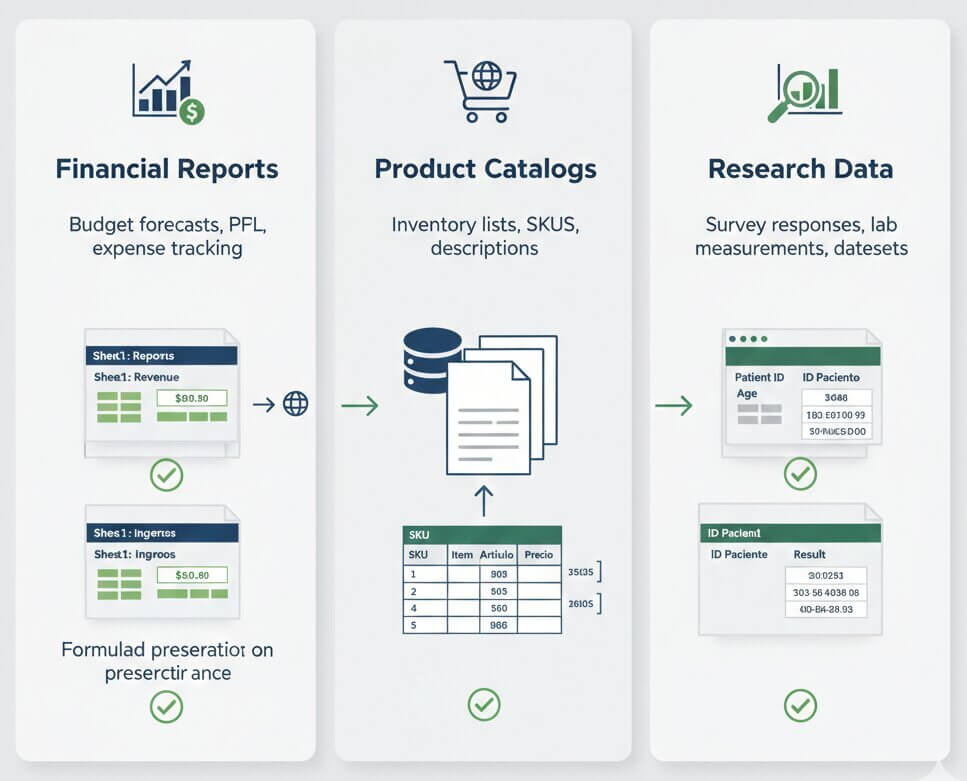
Multinational companies generate budget forecasts, P&L statements, and expense tracking sheets in one language but need them in others for regional offices. Translating these files manually risks formula errors that corrupt financial calculations.

The tool allows finance teams to translate excel file to english or any other language while preserving sum totals, percentage calculations, and currency conversion formulas. Quarterly reports sent to international stakeholders maintain computational accuracy and professional appearance without requiring a financial analyst to rebuild the spreadsheet in each language.

E-commerce businesses maintain massive inventory lists with thousands of SKUs, product descriptions, and pricing tiers. When expanding to new markets, these catalogs must be converted so local teams can understand stock levels and specifications.

Automatic translation excel processing handles large product databases efficiently. A 10,000-row inventory file with columns for item names, descriptions, and categories gets translated while numeric SKUs and price values remain unchanged. This enables rapid market entry without manual data re-entry or the risk of mismatched product codes between regional systems.

Academic researchers and clinical trial coordinators collect survey responses, lab measurements, and statistical datasets in Excel format. International collaboration requires these datasets to have translated column headers and category labels while raw numeric data remains unchanged for analysis.

The translate excel sheet to english function (or into Arabic, Chinese, etc.) converts metadata and descriptive text while leaving numeric measurements untouched. Statistical software like SPSS or R can import the translated file directly because the data structure remains valid. Collaboration across institutions becomes seamless even when team members speak different languages.
translate whole excel file use cases

Pricing

Test the xlsx translator free before committing

Lite

$9 / mo
  • 400.000 characters per month
  • Advanced AI translation
  • Layout & formatting preservation
  • 100+ language support
Free Trial

Starter

$19 / mo
  • 1.000.000 characters per month
  • Advanced AI translation
  • Layout & formatting preservation
  • 100+ language support
Free Trial

Business

$49 / mo
  • 3.000.000 characters per month
  • Unlimited users & collaboration
  • All Pro features
  • Priority support
Free Trial
Save 25%

Yearly

$169 / year
  • 12.000.000 characters per year
  • Unlimited users & collaboration
  • All Pro features
  • Priority support
Free Trial

F.A.Q

Frequently Asked Questions

Yes. The parser identifies formula syntax and excludes it from translation. Functions like =SUM, =VLOOKUP, =IF, and cell references such as A1:B10 remain in their original form. Only text labels, headers, and descriptive content within cells get converted to the target language, so all calculations produce correct results.

Absolutely. The system processes all sheets within a workbook simultaneously. If a term appears on multiple tabs, it receives consistent translation across the entire file. Sheet names can also be translated if they contain descriptive text rather than codes.

Visual elements stay the same. Chart titles, axis labels, and legend entries are translated because they contain descriptive text. The underlying data series and pivot table calculations are not altered. Conditional formatting rules, cell colors, and data validation settings also persist without modification.

The engine analyzes cell content type. Numeric values, dates, formulas, and currency amounts are protected. Text strings in header rows, merged cells, and comment boxes are candidates for translation. Contextual analysis prevents accidental conversion of abbreviations, product codes, or technical identifiers that should remain language-neutral.

Yes. Right-to-left languages like Arabic, Hebrew, and Urdu are fully supported. The translated text will display correctly in Excel when opened on systems configured for those languages. Cell alignment and text direction follow standard Excel RTL behavior.

Yes. Batch mode allows upload of several .xlsx or .xls files simultaneously. Select the same source and target language pair, then process the entire set in one operation. This is efficient for translating monthly reports, regional sales data, or any recurring file series.

Yes. All visual styling remains unchanged. Bold, italic, font families, text colors, background fills, borders, and merged cells appear exactly as they did in the original. The translation affects only the character content of text strings, not their presentation attributes.

The AI model is trained on business, finance, and technical corpora. Terms like "EBITDA," "inventory turnover," and "depreciation" receive domain-appropriate translations. For critical documents, reviewing key terminology after translation helps it match internal glossaries and regulatory requirements.

The service supports files up to 200 MB, which covers most business spreadsheets.

If the table exists as an embedded .xlsx object inside a Word or PowerPoint file, extract it as a standalone Excel file first, then translate it separately. Once translation is complete, re-embed the translated table into the parent document to maintain cross-document consistency.